Cloud Computing in Software Development – A Detailed Guide
The world creates 2.5 quintillion bytes of data every day.
Osterman Research
The present day and age is marked by rapid technological advancement. Notable among them are the increase in networked devices, simulations, and internet services. This has generated ginormous amounts of data. It, in turn, has led to a pressing need to process and store it.
For a single computer or even small clusters of them, this task is impossible.
Businesses globally faced the challenge of maintaining expensive systems. Enter cloud computing. It emerges as a practical solution for companies to access resources online without the need to manage them. Thus, businesses can focus their time and energy on more critical tasks. At the same time, they can also adjust their operations flexibly to meet current needs.
What Is Cloud Software?
Cloud software is a term that confuses many. Cloud computing in software development rests on a key concept. It refers to hosting cloud-based apps on remote servers. The local devices of users are not used. This allows access from any and all devices linked to the internet. This is in contrast to conventional apps. These are limited to their installation device.
You can understand this through a simple example. Consider the older apps by Google Workspace and Microsoft Office. Google Workspace apps are cloud-based. It means that you can access and edit the documents directly via a web browser. Contrarily, you need to install Microsoft Office apps locally on user devices.
Google Workspace apps are the perfect example of cloud computing in software development. To leverage the power of the cloud fully, an internet connection is a must.
How Does Cloud Computing Work?
Cloud computing works through its service models. These let businesses share computing resources and data over the internet. In other words, cloud computing links users to a cloud platform. This is done via the internet. From here, users can access rented computing services. A central server enables users’ devices and servers to communicate. This makes way for data exchange.
At the core of cloud computing is virtualization. It separates resources and services from the primary physical delivery ecosystem. Virtualization makes it possible to consolidate servers. This, in turn, gives companies efficiency and cost savings. They can quickly respond to market changes. Firms can switch providers to keep costs low. Thus, cloud computing enables them to flourish in a dynamic market.
Foundational Cloud Delivery Services
To fully grasp cloud computing, you must know the major cloud delivery models. They are explained in detail below.
Infrastructure as a Service (IaaS)
IaaS delivers on-demand IT infrastructure resources. These include virtual machines, servers, compute, network, and storage. It delivers these over the internet. IaaS works on a pay-as-you-go basis.
IaaS allows businesses to scale resources based on their needs. It cuts costs linked to paying for upfront capital expenditures. Companies with high-performance workloads choose IaaS for:
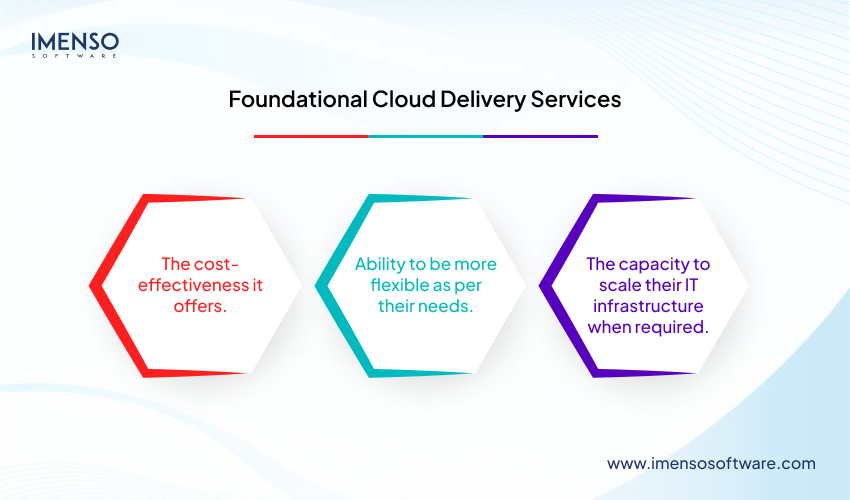
- The cost-effectiveness it offers.
- Ability to be more flexible as per their needs.
- The capacity to scale their IT infrastructure when required.
How Does Infrastructure as a Service (Iaas) Work?
IaaS consists of a set of physical and virtualized resources. They offer the users the basic elements to run apps in the cloud. Virtualization technology drives IaaS. It creates various virtual machines (VMs). Each VM has its own operating system. An IaaS provider manages hypervisors. Hypervisors are called virtual machine monitors (VMMs). They separate VMs from each other. They assign each VM its own computing power, storage, and memory. Users can then provision virtual instances with the level of memory, storage, and compute.
Automated processes and software power the deployment of VMs. In their absence, there’s an overload of manual work. As a good practice, it’s best to automate infrastructure management. This leads to effective configuration management, deployment, and provisioning.
IaaS Resources
IaaS offers various resources to meet diverse business needs.
Compute Resources:
Compute resources offer VMs and instances that give the necessary processing power, memory, and storage. These are highly customizable. So, you can choose configurations that match your workload needs.
For example, a company working on data analytics might use high-memory instances. It lets them efficiently handle large datasets. At the same time, it keeps costs under control.
Storage Solutions:
IaaS provides various storage options.
- Block storage: It is suited for apps that need fast, reliable storage for databases and transactions.
- File storage: File storage is appropriate for collaborative environments. It allows team members to manage and share files easily.
- Object storage: It is great for storing media files, backups, and archives. Object storage is scalable and efficient. So, it can handle massive data sets.
Network Infrastructure Resources:
It consists of virtual components. These are routers, switches, and load balancers. They allow businesses to create complex network architectures. These systems can be easily managed and scaled. Virtual networking resources offer secure and reliable connectivity for your apps and services. It supports smooth communication within your infrastructure and with external resources.
Key Use Cases of IaaS in Software Development
Development and Testing
IaaS provides an ideal testing and development ground. You can set it up faster than on-premises. So, DevOps and other teams can quickly scale dev/test environments up or down. It, in turn, allows companies to launch new apps to market faster.
Backup and Disaster Recovery
IaaS offers cloud-based backup and disaster recovery solutions. So, businesses can replicate and back up their systems and data in the cloud. Businesses can duplicate apps across various servers. If one fails, another takes over.
Website Hosting
IaaS is an affordable means to host customer-facing sites and web apps. These are secure, scalable, and customizable.
Big Data Analytics
IaaS supports the massive processing power required to analyze vast amounts of data. This allows firms to benefit from the best insights.
High-Performance Computing (HPC)
HPC uses computer clusters and supercomputers. Through them, it solves complex computational problems. This, in turn, greatly advances human knowledge. Examples include stock trading automation and DNA sequencing.
Hybrid Multicloud Adoption
Modern hybrid cloud is combined with a multicloud approach. This lets businesses choose the best cloud services from various cloud vendors. IaaS enables you to deploy resources across hybrid cloud setups as per your needs. For example, it supports “lift and shift” migration. Here, an app is moved from an on-premises to a cloud infrastructure. All this happens in the data center of the cloud provider.
Artificial Intelligence (AI) and Machine Learning (ML)
IaaS systems let firms use AI and machine learning (ML) capabilities. Using IaaS, data scientists and developers can build, train, and deploy ML models with fully managed infrastructure and workflows. IaaS also delivers the compute power and core infrastructure support foundation models. This is critical to build and scale generative AI apps.
What Is Platform as a Service (PaaS)?
PaaS offers a full-on-demand cloud system to develop and manage software. The PaaS provider hosts everything. This includes networks, servers, databases, and more in their data center. Firms pay a fixed fee to get specific resources for a specific number of users. They can also opt for pay-as-you-go pricing. This is to pay only for the resources used. PaaS cuts costs linked to creating and maintaining platforms on-premises.
How Does PaaS Work?
PaaS combines three components. These are:
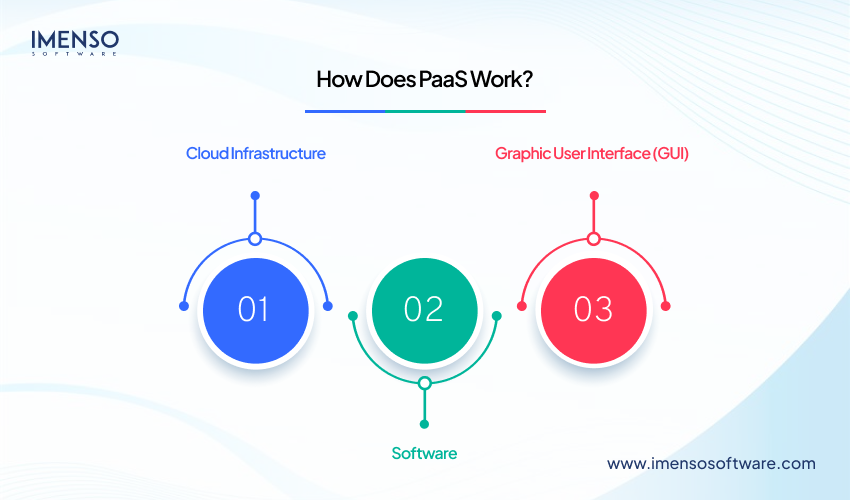
1. Cloud Infrastructure
This consists of your OS software, VMs, firewalls, storage, and networking. These provide a secure and interconnected computing setup.
2. Software
It is used to build, deploy, and manage apps. Software allows for product creation.
3. Graphic User Interface (GUI)
This is where the dev team works. GUI creates the connection between the PaaS systems and the team that uses it. It links developers with the tools to create software. The team links to the GUI by logging in to the system from their place of work.
Middleware allows data management and communication between apps and an OS. Thus, your team can design and develop in the PaaS setup. It enables numerous dev teams to collaborate on the same project within the PaaS setup. The PaaS provider ensures you have the computing resources to perform work. Your job is to manage your data and apps.
Essential Use Cases of PaaS in Software Development
- Application Development and Delivery
PaaS offers a custom app framework. It automatically manages the OS and software upgrades. It also manages storage and the supporting cloud infrastructure. Thus, PaaS simplifies app development.
- API Development and Management
PaaS has many built-in systems for app creation. This allows teams to develop, run, and manage secure APIs. It facilitates data sharing and functions between apps.
- Internet of Things (IoT)
PaaS supports various languages. It also supports multiple dev tools and app environments for IoT app creation. PaaS enables real-time processing of data generated by IoT apps.
- Agile Development and DevOps
PaaS offers environments conducive to automating the software app lifecycle. This includes CI/CD, testing, security, and deployment.
- Cloud Migration and Cloud-Native Development
PaaS smoothly migrates current apps to the cloud. This is due to the various ready-to-use tools and integration abilities it has. PaaS supports replatforming. This refers to moving an app to the cloud with changes tailored for cloud capabilities. PaaS also supports refactoring. It is re-architecting a few or all of an app with cloud-native tech. Examples of these include microservices and containers.
Hybrid Cloud Strategy
Hybrid cloud merges private and public cloud services and on-premises infrastructure. It offers orchestration management and app portability across them. The result? A centralized and flexibly distributed computing setup. This lets firms run and scale their legacy or cloud-native workloads on the best computing model. Developers only have to build once. They can then deploy and manage anywhere in a hybrid cloud setup.
Enterprise AI Models
Enterprise-grade AI requires a highly sustainable, compute- and data-intensive distributed system. PaaS delivers that. Its environment supports and streamlines the creation and deployment of AI apps.
What is Software as a Service (SaaS)?
SaaS is an app software application hosted on the cloud. It is used over an internet connection through a web browser, a thin client, or a mobile app. The SaaS provider operates, manages, and maintains the software and its infrastructure. The purchaser just creates an account, pays, and uses it to work.
How Does SaaS Work?
SaaS uses the cloud computing system and economies of scale. This simplifies using and paying for the software. Here’s how it works:
Hosting
The SaaS provider hosts the app on its servers. It does so via a third-party cloud infrastructure provider. This removes the need for users to manage hardware and software systems themselves.
Access
Users access the software over the internet. The app is available from any device with an internet connection.
Multi-Tenant Architecture
SaaS apps usually have a multi-tenant architecture. Here, a single instance of the software caters to numerous users. Each user’s data and configuration are kept secure and separate.
Maintenance and Updates
The SaaS provider maintains and updates the software. They also manage its security. It involves patching gaps and adding new features.
Subscription Model
Users pay for SaaS apps on a subscription basis. This model provides predictable costs. It reduces the need for large upfront investments.
Integration
Many SaaS apps offer APIs to integrate with other software apps and systems. It enables fluid data exchange and workflow automation.
Use Cases of SaaS in Software Development
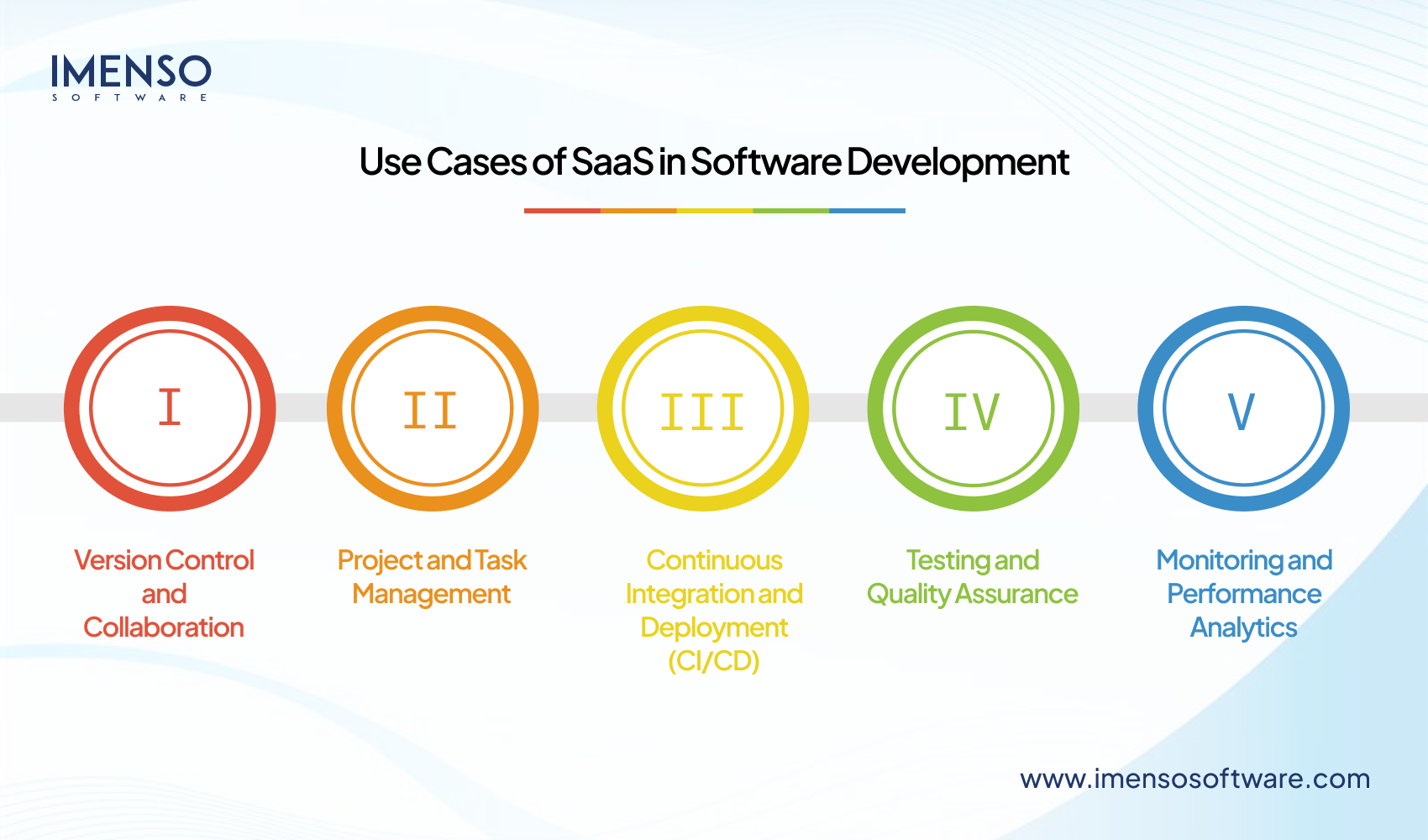
1. Version Control and Collaboration
Effective code management is critical to software creation. SaaS tools like GitLab and GitHub help with that. They enable
- Centralized source code hubs.
- Branching, pull requests, and code reviews.
- Fluid collaboration across distributed teams.
- Integration with CI/CD and issue monitoring systems.
2. Project and Task Management
It is crucial to keep teams organized, focused, and aligned with delivery goals. SaaS-based tools like Asana and Jira manage these functions well through:
Agile workflow execution (Scrum, Kanban).
- Sprint planning, backlog grooming, and task prioritization.
- Visibility into progress, blockers, and timelines.
3. Continuous Integration and Deployment (CI/CD)
CI/CD automates testing and deployment. It quickens delivery while reducing bugs. Tools like Travis CI and CircleCI help with that. They enable:
- Automatic building and testing on all code changes.
- Quick, repeatable, and safe deployments.
- Integration with code hubs and cloud systems.
4. Testing and Quality Assurance
High-quality, bug-free software is critical in software development. SaaS tools like Sauce Labs and BrowserStack are designed for this. They help with
- Automated and manual testing across devices and browsers.
- Unified test case management.
- Quicker feedback loops and better QA coverage.
5. Monitoring and Performance Analytics
Continuous monitoring and improvement are critical to post-deployment success. Tools like New Relic and Datalog enable:
- Error tracking and log analysis in real-time.
- Application performance monitoring (APM).
- Alerts for errors and downtimes.
| Aspect | IaaS | PaaS | SaaS |
| Definition | Firm provides basic computing resources, CPU, storage and networks. They may deploy any OS or app. Provider
controls the core cloud infrastructure. |
Firm deploys apps (built with
provider-supported tools) onto a managed runtime. Provider controls infra + OS. Firm controls code & data. |
Firm uses
provider-hosted apps via browser/API. Provider controls everything except restricted user-level settings & data. |
| Primary Users | IT team and admins | Developers & DevOps
teams |
Business end-users and
line-of-business managers |
| Provider Services | Provides and manages physical data center,
hypervisor, networking |
Everything in IaaS, OS,
middleware and runtime |
Everything in PaaS and the app itself |
| Customer Manages | OS, middleware, runtime, data, apps, access control | Access control, data, and apps | User access and data |
| Use Cases | Lift-and-shift of legacy
VMs, high-compute workloads, disaster-recovery sites, |
Rapid web/mobile app
builds, API development, microservices, back-ends, IoT data ingestion |
Email & collaboration
suites, file-sharing, CRM/ERP, HR & finance platforms |
| Prevalent Examples | AWS EC2, Google Compute Engine, Azure VMs,
DigitalOcean |
Heroku, Azure App Service, Google App
Engine, Red Hat OpenShift |
Microsoft 365, Salesforce, Google
Workspace, Dropbox |
| Advantages | ● Most flexible of all
● Targeted cost scaling ● No hardware CAPEX” |
● Rapid dev cycles ●Automated scaling & patching
● Embedded CI/CD hooks” |
Firm uses
provider-hosted apps via browser/API. Provider controls everything except restricted user-level settings & data. |
| Disadvantages |
|
|
● Lack of deeper customization
● Data-residency and multi-tenant risks |
| Security Responsibility |
& hypervisor
setups, data & IAM |
|
|
Cloud Deployment Models
Cloud deployment models are the various ways it can be adopted.
Public Cloud
It refers to using the cloud architecture offered by the provider to host apps and store data. The provider owns and manages the software, hardware, and networking. Firms benefit from the cloud’s flexibility and scalability. They do not need to spend on building their own infrastructure.
Firms can pay on a subscription or pay-as-you-go basis. It cuts the cost involved in buying and managing their own infrastructure. Public cloud also offers strong disaster recovery abilities. This helps mitigate system downtime or data loss.
Real-World Example
Google App Engine is a public cloud platform. Developers can build and run apps without worrying about the primary infrastructure. Many startups use Google App Engine to launch their services quickly and affordably.
Private Cloud
A private cloud is a type of setup where servers, networking, and storage equipment are dedicated to a single firm only. The infrastructure can be hosted in an external data center or on-site.
The private cloud offers more benefits than the public cloud. Public cloud systems are shared between multiple firms. This isn’t the case with the private cloud. So, it offers higher security and customization options. Organizations requiring high levels of security and performance opt for the private cloud.
Real-World Example
Bank of America uses its own internal private cloud infrastructure to meet strict financial regulations. Private cloud enables it to maintain high security standards. They can control their systems while protecting customer data.
It combines the functions of public and private cloud with a VPN or direct connect. A hybrid cloud setup allows data and apps to fluidly move between the two environments. This lets firms balance cost, performance, and security needs. They can use the public cloud for non-sensitive work. At the same time, they can keep critical apps and data in a private cloud setup.
Another benefit of the hybrid cloud is that it avoids vendor lock-in. Firms don’t need to depend on one cloud provider. Thus, they can prevent things like data loss and downtime.
Real-World Example
Netflix uses a hybrid cloud model. It keeps customer data in a private cloud and uses Amazon Web Services for streaming and recommendation algorithms.
Community Cloud
It’s a shared cloud setup between businesses with similar interests or needs. An external provider hosts the infrastructure. Businesses can access it through the internet. However, it’s designed for a specific user community. An example can be educational institutions.
Community cloud offers cost-effectiveness and resource pooling. The services and setups are shared among various firms. It also offers more customization and security than the public cloud. This is because it’s tailored for a specific community’s needs.
Real-World Example
The U.S. government employs GovCloud, a community cloud. It’s used for agencies to share resources while meeting particular regulatory requirements.
Industry Cloud
Industry cloud provides an environment for a particular industry. It offers specialized services, apps, and infrastructure designed for vertical industry requirements. This is done through a full product experience.
This model can also dynamically allocate and reallocate resources for more flexibility. A third-party provider hosts an industry cloud. The model offers a high degree of customization as it’s built for specific industry needs.
Real-World Example
Siemens, the industrial manufacturing giant, partnered with SAP to deploy a cloud solution for manufacturing industry. This collaboration leverages the SAP Industry Cloud to provide cloud-native software that integrates with Siemens’ industrial automation and product lifecycle management tools.
Unlocking Growth with Scalable Cloud Solutions
Cloud computing is swiftly expanding with every passing year. As more companies realize its benefits, they are eagerly adopting it to drive growth. However, it’s crucial to have a good strategy in place for systematic adoption. The time is ripe to leverage scalable and responsive custom cloud solutions. Doing so will help you deliver the best customer experiences and increase your profit margin, all while staying within your budget.
Frequently Asked Questions
1. What is the working principle of cloud computing?
Cloud computing works on the concept of allowing users to access and store IT resources over the internet. Companies don’t need to access their digital assets on local servers or their PCs.
2. Which are the technologies on which cloud computing relies?
Cloud computing relies on specific technologies. These are virtualization, data storage systems, networking, and automation tech. These let firms use advanced tools inexpensively.
3. What is the life cycle of cloud computing?
The lifecycle of a cloud computing app has several stages. These include developing, deploying, and managing the apps on cloud systems. Firms adopt SDLC to leverage cloud-based tools.
4. Is Google Drive cloud computing?
Yes, Google Drive is a form of cloud computing. It is a cloud-powered storage service. Google Drive lets you store, access, and share files and folders over the internet

Similar Posts
Top Tools Used in the Discovery Phase of Software Development
Imagine launching a software project only to hit chaos from unclear goals or misaligned teams. The discovery phase in software development is your foundation, setting up smooth execution. The right software discovery tools make or break this stage, turning scattered ideas into clear plans. Teams often wrestle with messy communication or vague requirements, but tools […]...

How Dedicated Developers Can Accelerate Your Digital Transformation in 2025?
You can’t do today’s job with yesterday’s methods and be in business tomorrow. — Peter Drucker Do you know digital transformation is no longer a luxury for your business? It’s about re-imagining how your business operates and delivers value in the market. 74% of organizations prioritize digital transformation initiatives, and the race to modernize is […]...
How Much Does It Cost to Build a Custom CRM System
Every dollar spent on CRM software gives an average return on investment of $8.71. –Nucleus Research Customer Relationship Management (CRM) platforms have served as a pillar of businesses across industries. At the very basic level, it works as a record system. A CRM tracks interactions and stores client profiles. On this basis, it creates reports. […]...